MyStory 1.28: Enhanced Writing Experience with Mixed Theme Mode
MyStory 1.28 is here with improvements to make your writing experience more comfortable and efficient. This release brings new ways to customize your writing experience with better editor accessibility and reliability improvements.
Write Comfortably
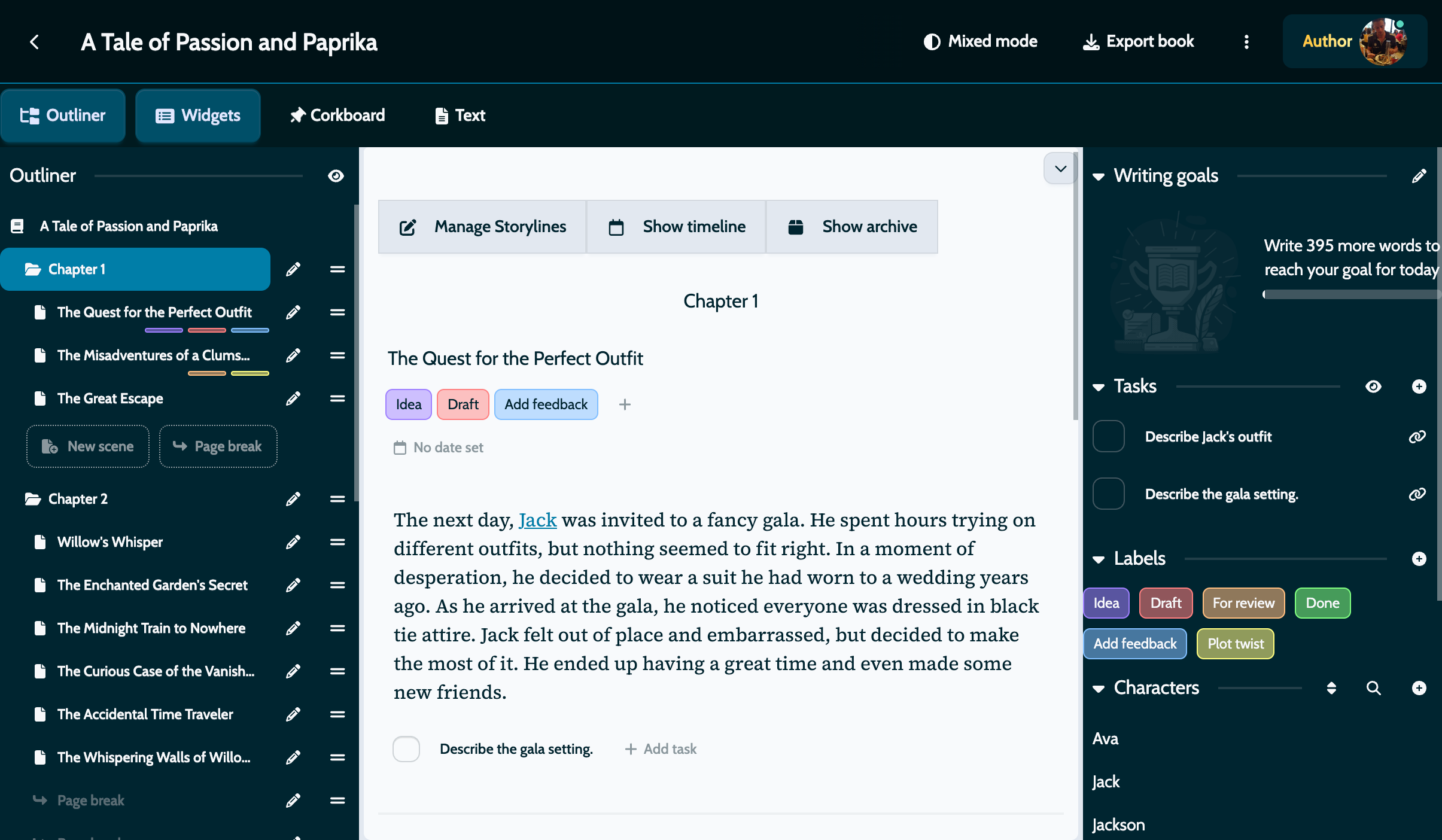
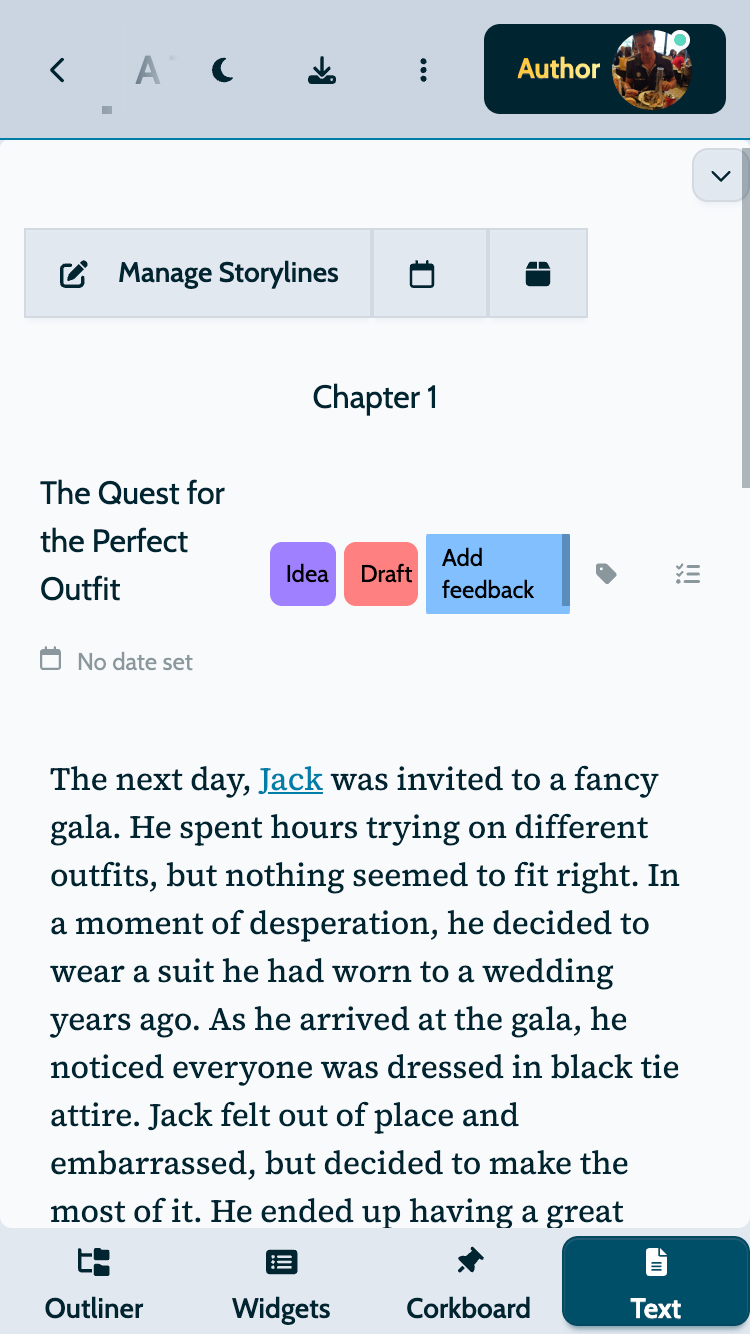
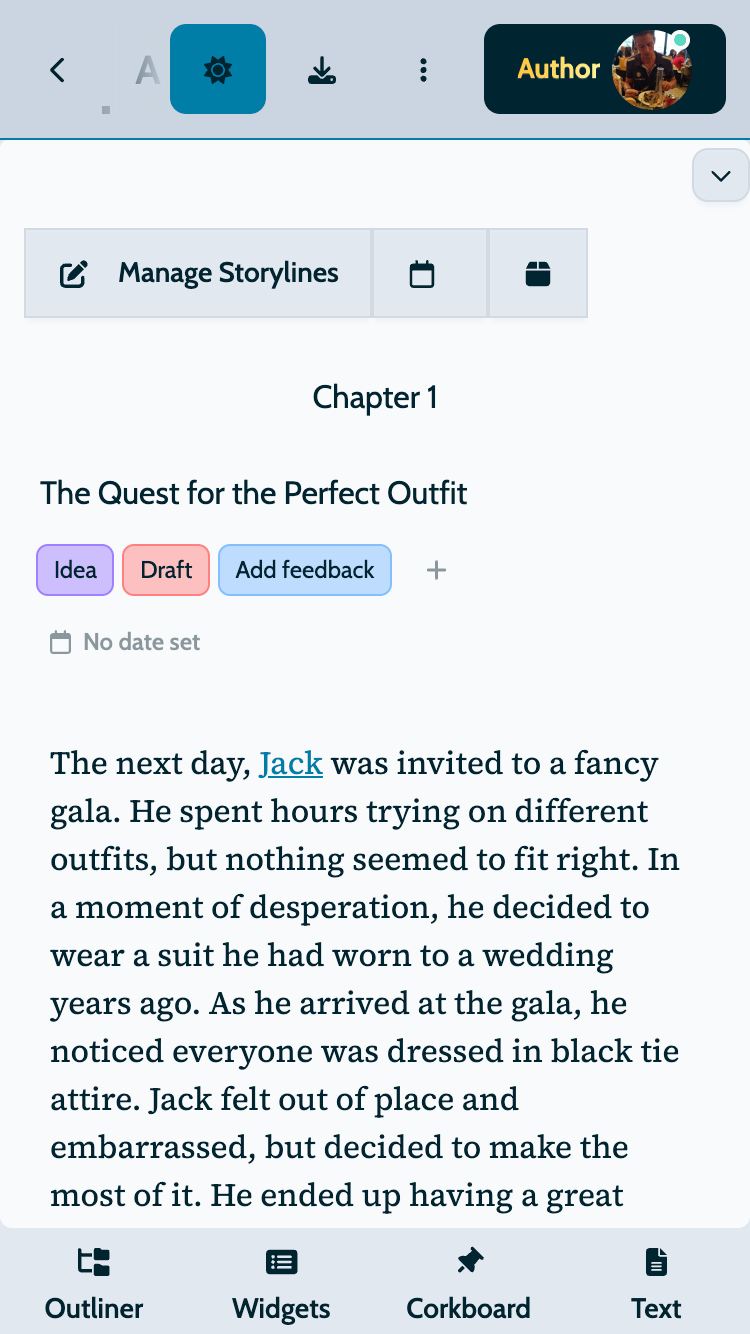
Write your stories in light mode while keeping your interface elements in dark mode with our new mixed theme option. We developed this feature based on feedback from authors who find full light mode too bright for extended writing sessions, especially for web and mobile users.
The mixed theme preserves comfortable, eye-friendly dark interface for navigation, library management, and settings, while giving you a clean, bright canvas for your actual writing. You can configure this option in your app settings and switch between full light, full dark, or mixed mode based on your environment and preferences.
This flexibility means you can write in a coffee shop with natural light without straining your eyes, or work late at night while maintaining clear contrast between your writing area and the rest of the app. You can also adapt to different writing sessions throughout your day, switching between light mode for morning productivity and mixed mode for evening comfort.
Enhanced Editor Experience
We’ve improved several editor features to make writing easier and make saving your work more intuitive.
Save Icon Update: The traditional floppy disk icon has been replaced with a modern sync icon that better represents the continuous saving behavior of MyStory. The new icon also stays visible on mobile devices, so you always know when your changes are being saved.
Keyboard Shortcut: Save your scenes instantly with the standard Mod+S shortcut (Cmd+S on Mac, Ctrl+S on Windows and Linux). This keyboard shortcut is familiar to writers and makes saving second nature, especially helpful when working with external keyboards on tablets or laptops.
Reload Button: If the initial loading indicator takes longer than expected, a reload button now appears after a short time. This prevents you from being stuck if caching errors occur and gives you a quick way to refresh the app without closing it.
Improved Dark Mode Readability
Dark mode now offers better contrast across all interface elements.
Corkboard Cards: Scene cards on corkboard now switch to dark colors when dark mode is active. They’re now aligned with other dark mode modules, making text clearly readable. This ensures your scene summaries, labels, and metadata remain clearly visible regardless of your theme preference.
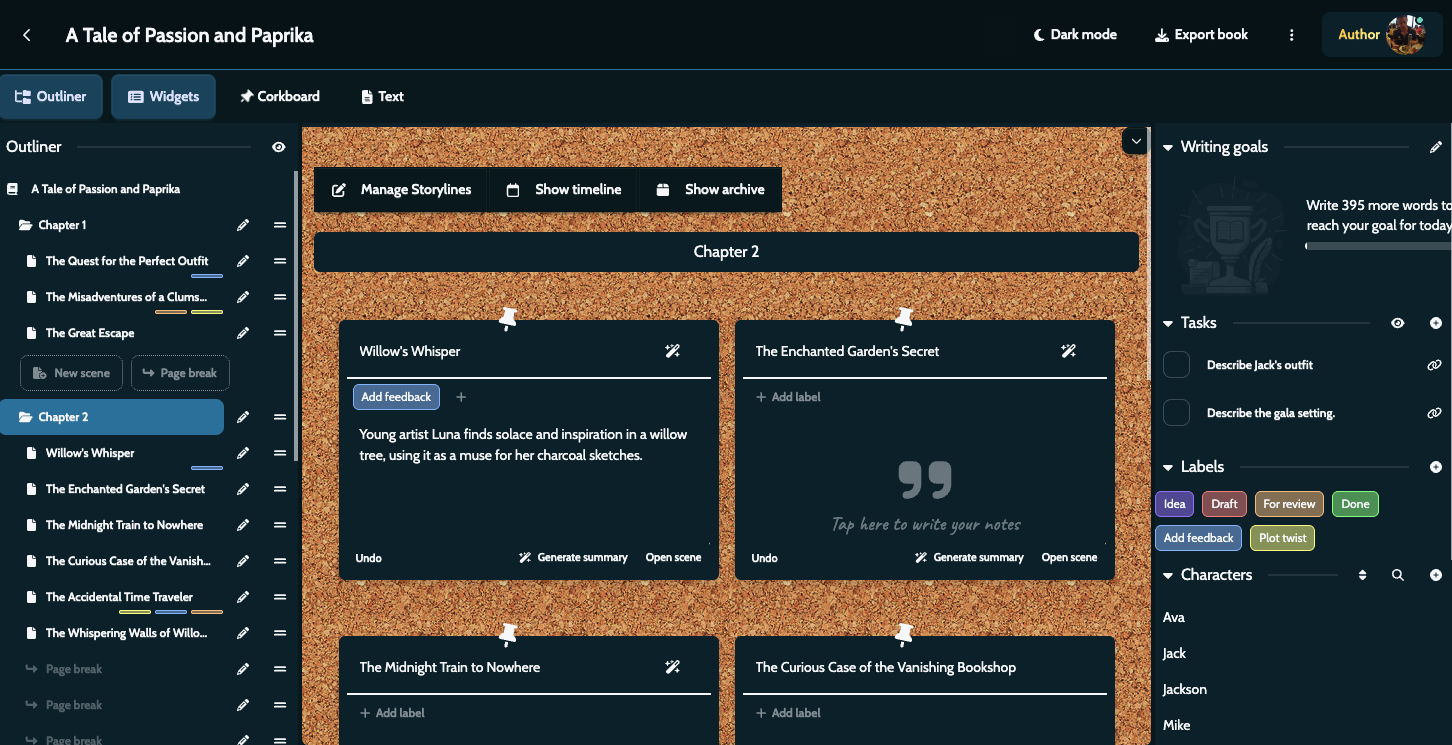
Editor Toolbar Contrast: The characters and places selector in the editor toolbar now has a proper background color in dark mode. This increased contrast makes it easier to distinguish between your writing area and the selector dropdown, especially when switching between themes.
Better Label Management
Labels help you organize and categorize your scenes, and we’ve made them easier to work with.
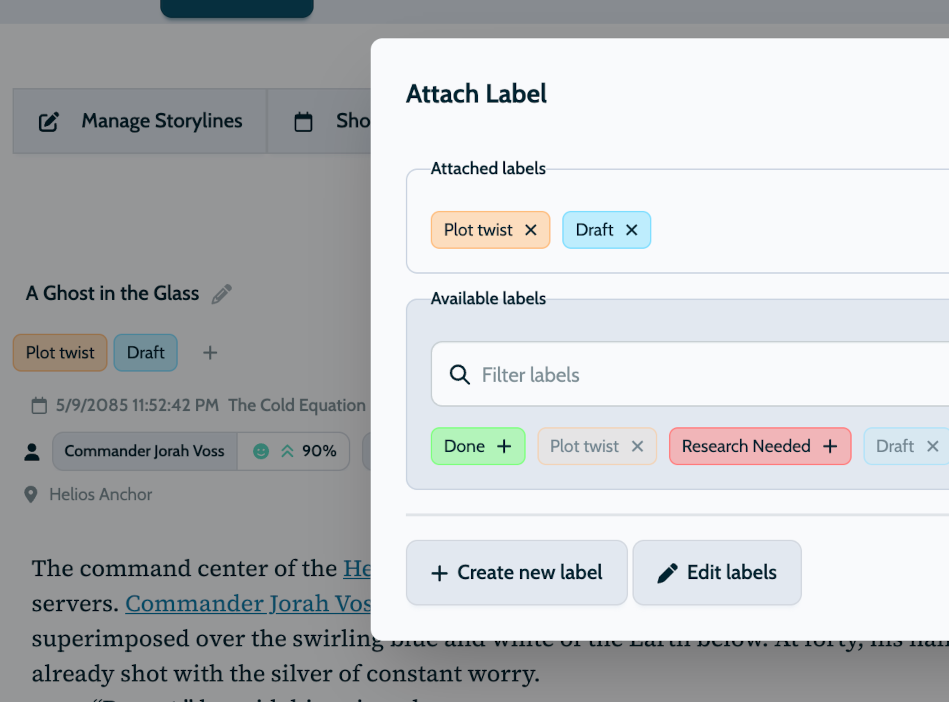
Improved Rendering: Label display has been refined for better visual clarity across all screen sizes and theme settings. Labels now feature softer background colors, improving readability and reducing visual strain.
Better Label Layout: Labels now break to a new line below the scene title, providing more space for both your scene title and labels. This is especially helpful if you’re working with many labels, ensuring everything remains readable and organized across all screen sizes.
Reliability Improvements
This release includes important fixes to improve reliability across the entire application.
Scene Conflict Management: The conflict management feature now works more reliably when working across multiple devices. If a scene has been modified on another device since you last synced, you’ll be prompted with options to resolve the conflict, giving you control over which version to keep.
Text Deletion Warning: When deleting large amounts of text, the warning dialog now allows you to save your changes. This prevents accidental loss of work if you intended to delete text but hadn’t saved recently.
Toolbar Button Highlighting: Editor toolbar buttons for active formatting options now feature improved highlighting, making it easier to identify which formatting is applied to selected text. This visual feedback helps you quickly see the current formatting.
Translation Fixes: Fixed translations for new scene title placeholder and other interface elements, ensuring consistency across all supported languages.
Update Your App
MyStory 1.28 is rolling out now for all platforms. Update your app to enjoy new mixed theme mode, enhanced editor features, and improved reliability.
Happy writing!