
The Outliner is your control center for managing the structure of your novel as an author. Within the Organizer you arrange and organize your novel’s chapters and scenes. In the reading view, you can set the final order of chapters and scenes to prepare everything for book export.
The Organizer
The Organizer is a new tool for MyStory.today authors to keep the book project organized for you as an author. You can watch the tutorial video to get a deeper insight of how it works
The reading view
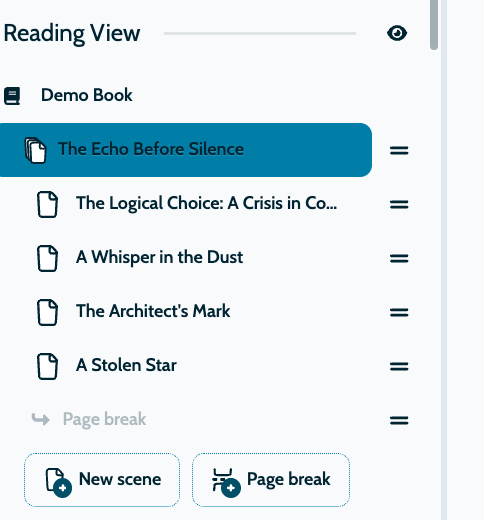
The reading view shows the order of chapters and scenes, which is what the reader will see in your exported book project. Here, you have the ability to reorganize your chapters and scenes, move them around, and get an overview of the reading order.
Designing the Perfect Reading Experience for Your Audience
Within the Reading View, you can structure your manuscript for the final book export so that it is exactly as your audience will experience it. This is one of the core features of your novel setup. While the Reading View focuses on the story from a reader's perspective, the Organizer allows you to structure your work from an author's perspective.
On bigger screens you can find the panel on the left side of the screen, on mobile you can see it under the section “Outliner”.

As your book grows, it can happen that parts of your written text fit better into a different chapter. You can also move scenes from one chapter to another by simply dragging the handle and dropping the scene into the new chapter. When you export your project, you can immediately see the updated flow. You can use the drag handle via mouse or via touch screen on your smartphone or tablet.